Create photorealistic 3D models and hi-res seamless tileable 3D textures easily from two photos.
Features:
-simple to use with a nice and easy to learn interface
-fast (1-2 min), automatic and interactive process, you can examine the model being developped in realtime
-3D model plus all relevant textures: normal, displacement, specular, ambient occlusion, diffuse, bump
-instantly tileable textures
-extremely high res meshes (4M triangles) means superb detail
The following review written by one of the Software Informer contributors applies to version 1.0
PhotoSculpt Textures is a professional image editing tool that allows you to create three-dimensional images using two photographs of the same subject that differ only in the angle they were taken from. The complete “sculpting” process - known as stereoscopic imaging – produces 3D images of extremely high quality, which you can later rotate, crop, and edit in many ways.
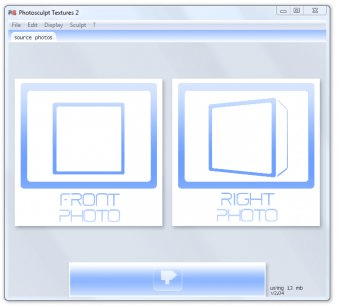
The whole conversion process is not a fast one, though from the user’s perspective it is fairly simple. The program requires you to load two digital images of the same object taken from the same location, though with a slight difference in angle. The idea is to simulate the different angles from which each of our eyes perceives an object. Thus, one of the photographs will be a frontal image, while the other will show a slightly different perspective of the same object - just move your camera a few degrees to the right and shoot again. The combination of these two images using PhotoSculpt Textures results in a highly realistic 3D rendition of the object. The more textured, and the higher the relief of the original subject, the more realistic the results will be.
This interesting tool also comes with some basic editing utilities that will let you rotate and crop your images. Besides, it offers you different views or “maps” of the image to let you better appreciate the 3D effect (occlusion map, specular map, displacement map, etc.).
High-quality 3D renditions of your digital photographs.
Well-structured interface with a wide variety of maps.
None.
Reviewed by: Francisco Javier MartÃnez Calvo
Reviewer rating:
Reviewed: Last year
What's new in version 2.0
-About twice faster sculpting
-Fully multithreaded
-Perspective corrected 3D models
-2 lasso crop tools
-Invisible seamless tiling
-2 batch tools
-.PLY 3D export
-EXIF autorotate autocalibration
-20 command line options
-Aero interface
-Plenty of other enhancements
What's new in version 1.0
What's new in version 1.03?
Added 8 bit tiff and png support for opening/ saving all images
Added 16 bit tiff support for opening/saving displacement maps
Added 2nd rubber polygon for croping in perspective + seamless mode.
Added a +/– option for blur size during sculpt. (sharper results can be obtained, but less stable too. Experimental, see it in new menu/?/Laboratory in the pay version)
Added closed mesh obj export (experimental, see it in menu/?/Laboratory)
Improved flat and seamless tileable mode now more seamless than before
Added function to “open one photo for both front and right”
Adjusted security features for increased stability (crash issue)
Increased depth button limit
Bug correction: corrected color shift seen sometimes in low resolution textures
Added "Clear all" option
"Depth" now refered as "displacement" for clarity
“Frame +/-“ now refered as “blend +/-“ for clarity...